When software-related issues arise on an Android device, various tools and software programs are required to fix them. ‘365 Ultra Tool v1.2′ is one such piece of software; it supports a wide range of Android brands and models and resolves all software Errors on mobile devices.
Common software issues encountered with Android phones include getting stuck on the boot logo, FRP (Factory Reset Protection) bypass requirements, unlocking issues, frequent restarts, software update problems, and system malfunctions. Whether you are a professional mobile repair technician or a beginner learning mobile servicing, this software may be useful for your needs. It can also be used by individual users who want to troubleshoot software-related issues on their Android devices.
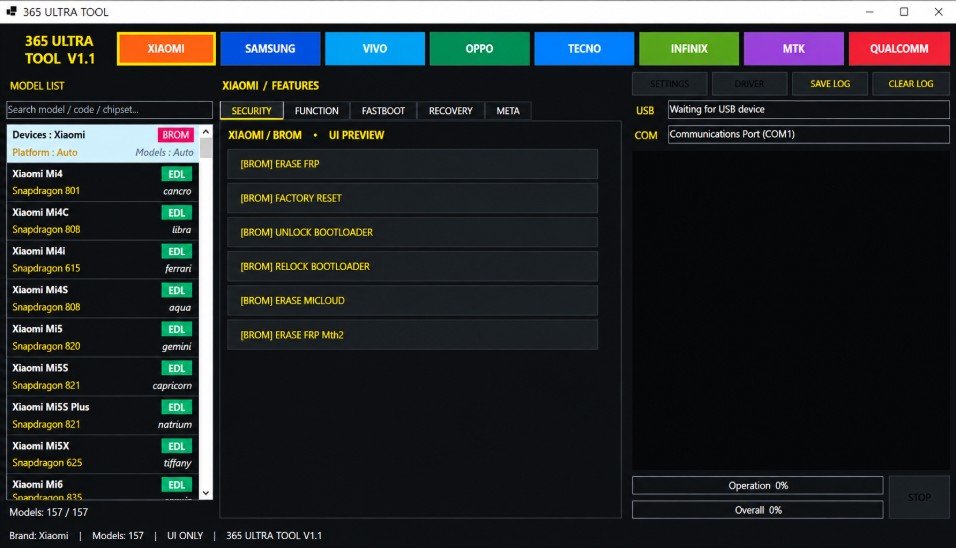
| Tool Name | 365 Ultra Tool |
| File Size | 67 MB |
| Operating System | Windows |
| Latest Version | v1.2 |
| Developer | 365UltraTool |
| File Format | EXE / ZIP |
| Password | 1234 |
What Is 365 Ultra Tool?
In this section, we will explore what the 365 Ultra Tool is and how it works. 365 Ultra Tool is a mobile repair utility designed to run on Windows PCs and laptops. It is primarily intended for mobile repair technicians who need tools to troubleshoot software-related problems on Android devices.
Software issues on Android phones can occur for various reasons, and mobile repair tools can help technicians diagnose and resolve certain problems. If you are experiencing issues with your Android phone, such as FRP-related problems, forgotten screen locks, device freezing, frequent restarts, or getting stuck on the boot logo, the 365 Ultra Tool may be helpful, depending on your device model and the specific issue.
Supported Brands
Below, we have listed some mobile brands that are fully supported by the 365 Ultra Tool. While the list of brands is extensive, we have included the top 10 here.
Android Brands for Mobile Servicing
Key Features of 365 Ultra Tool
The 365 Ultra Tool comes with top-tier features, which make it truly special. It is a multi-tool that offers an extensive range of features.
- Android Mobile Software Repair Support
- Bootloop and Boot Logo Issue Troubleshooting
- FRP-Related Functions (if supported)
- Software Update Issue Troubleshooting
- System Error Troubleshooting
- Android Device Detection via USB
- Windows PC and Laptop Compatibility (if supported)
- Support for Selected Android Brands and Models
- USB Driver Compatibility
- User-Friendly Interface (if available)
- Useful for Mobile Repair Technicians
- Suitable for Mobile Servicing Beginners
- Model-Specific Repair Options
- Device Connection and Status Checking
- Firmware-Related Operations (if supported)
How to Install
You can easily install the 365 Ultra Tool setup. We have provided a step-by-step guide below on how to install it.
- First, you need to download the setup, which will be in a ZIP file.
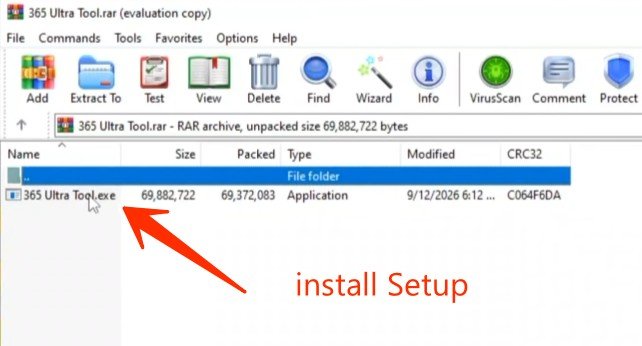
- Now, extract the 365 Ultra Tool setup from the ZIP file.
- Double-click the setup file to begin the installation process, as shown in the image.
- Grant the necessary permissions during the installation to proceed.
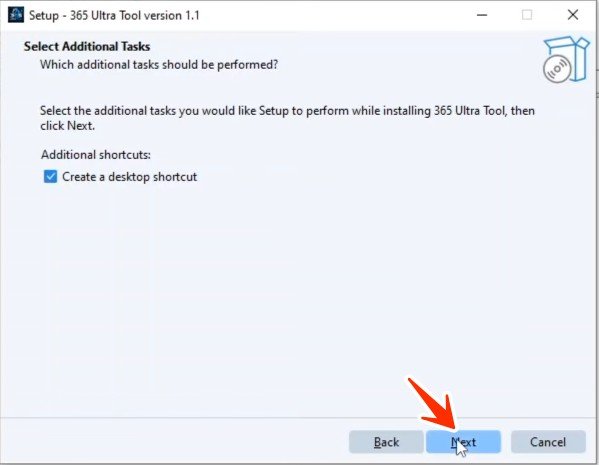
- It has now been successfully installed.
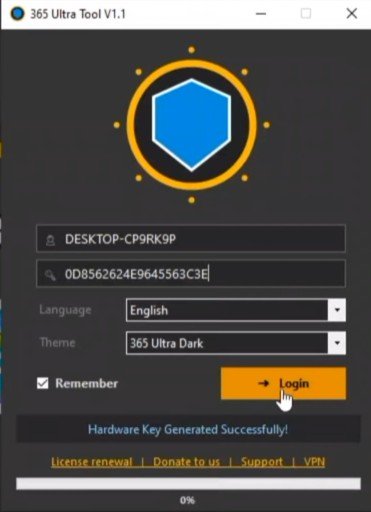
- Open the installed software.
- You can access it directly by clicking on the icon, without needing to enter any product key or license.
Important Points Before Use
It is essential to keep the following points in mind before using the 365 Ultra Tool:
- Use the correct files: Obtain software only from trusted sources and verify the safety of the files.
- Check the model number: Identify the exact model and chipset of the phone.
- Install drivers: Install the necessary USB or manufacturer-specific drivers if required.
- Back up your data: Some repair procedures may result in the loss of data on the phone.
- Keep the battery charged: If the phone or computer shuts down during a process, it could lead to further complications.
- Be mindful of security settings: Perform operations related to locks or accounts only on your own device or an authorized device.
- Verify the firmware: Using the wrong firmware can damage the phone.
FAQ
Does the 365 Ultra Tool support all Android mobile phones?
Support for all Android mobile phones is not guaranteed. Compatibility depends on the phone’s brand, exact model, processor, and software version.
Does it work for Samsung and Xiaomi phones?
The brand name alone does not confirm whether the tool supports all or specific models from these brands. Please check the supported model list before use.
Can it be used on a Windows computer?
Yes, the 365 Ultra Tool can be installed on Windows PCs and laptops.